

Integrations
Connect Google Drive or OneDrive, what BriefCatch can see once you do, and how organization policy limits it.
Which providers you can connect depends on your plan. Providers your plan does not include are not shown at all, rather than shown with an upgrade prompt.
Connecting a drive lets you review a document without downloading it first, and lets BriefCatch put a finished copy back where the rest of your work lives.
What you can connect
Google Drive
Personal Drive and, where your organization allows it, shared drives.
Microsoft OneDrive
OneDrive for Office 365, including shared folders.
iManage
Document-management integration. Narrower than the consumer drives: connect, browse, and download into a review. Saving back is not supported.
NetDocuments
Document-management integration, with the same connect-browse-download scope as iManage.
iManage and NetDocuments require a plan that includes premium integrations. If yours does not, they do not appear on the page at all.
Each card shows its state — Not connected, Connecting…, Connected, or Failed — and, before you connect, exactly what access it will ask for: view file metadata, read and write files, and access shared drives or folders.
A provider your plan does not include is hidden rather than shown locked, so the page may list fewer than four cards. The counter at the top reads “N of M” against the providers you can actually see.
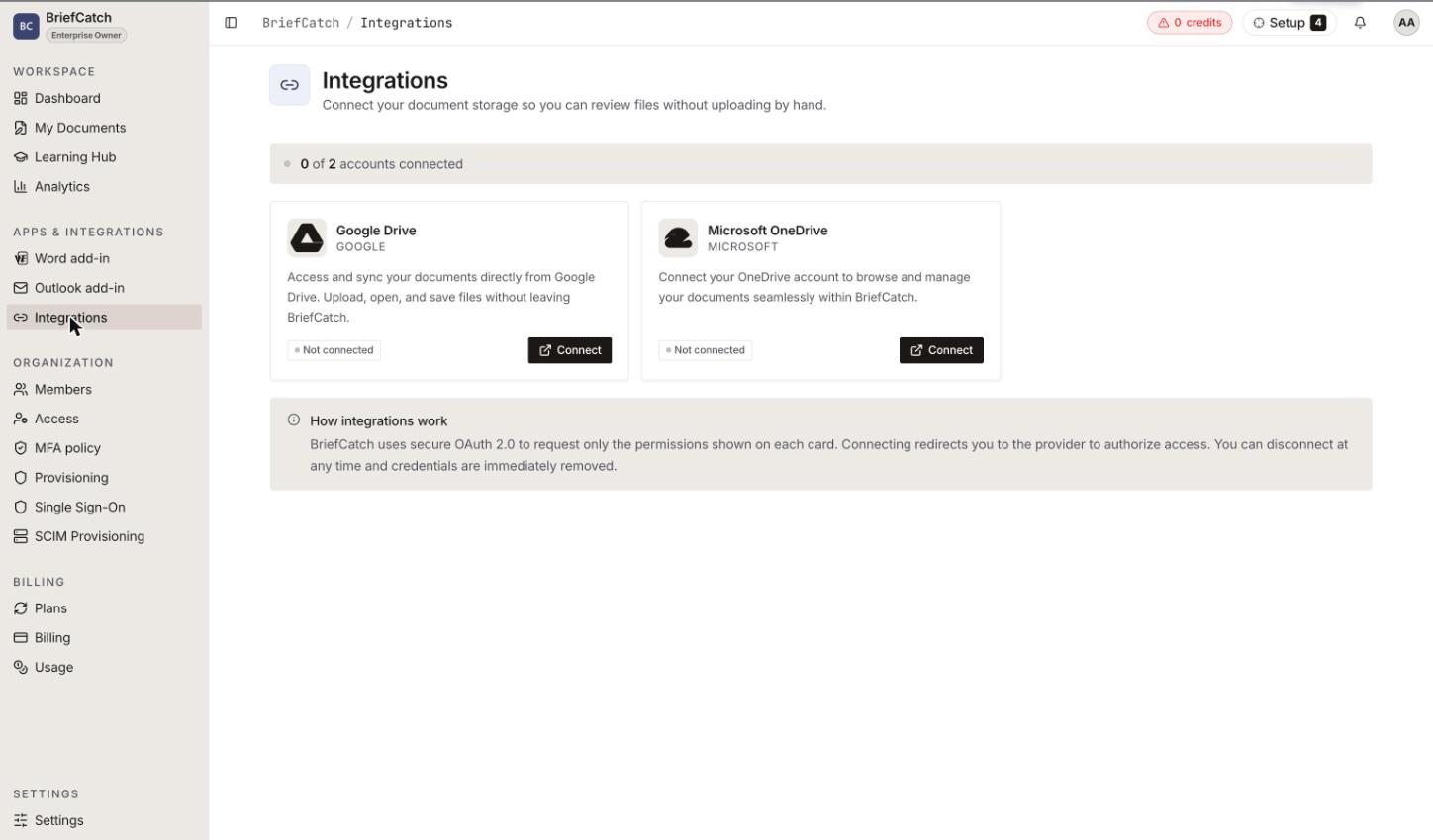
Connecting
Selecting Connect hands you to the provider’s own consent screen. You sign in there, approve the access, and come back. BriefCatch never sees your Google or Microsoft password.
Once connected, the drive appears as a source in My Documents, and as a destination when you choose where an uploaded document should be saved.
Disconnecting
Disconnect revokes BriefCatch’s access to that drive. Documents already stored in BriefCatch stay; documents that live only in the drive become unreachable from BriefCatch until you reconnect. Any file picker you had open for that provider is abandoned.
Disconnecting does not delete anything from the drive itself.
Personal versus organization
Two different things get called an integration:
- A personal connection is yours. It appears only for you, and it is what the Integrations page connects.
- An organization connection is set up by an admin and applies to the whole organization. The shared drive members can browse from My Documents comes from here.
When connecting will not work
- “Your trial has expired — upgrade to connect an integration” — drive access is a licensed capability, and the trial has ended.
- “Your plan doesn’t include this integration.” — the provider needs a higher tier.
- A provider “isn’t configured for this environment yet.” — the connection is not available on this deployment. Nothing you can change from here.
- “Something went wrong. Please try again.” — the consent flow did not complete. Retry; if it persists, check whether your organization’s identity provider blocks third-party app consent.
What BriefCatch does with drive access
It lists the files you point it at, reads the ones you choose to review, and writes back only where you tell it to. It does not scan or index your drive in the background, and the access is scoped to the drive you connected, not to every Google or Microsoft service on the account.
Related
- My Documents — picking files from a connected drive
- Settings — where connections are managed
- Roles and permissions — organization-wide connections are admin-only
- Troubleshooting — connection and consent failures